Quiet mind. Focused writing.
Keep capture, writing, preview, export and GitHub publishing centered around local Markdown files.
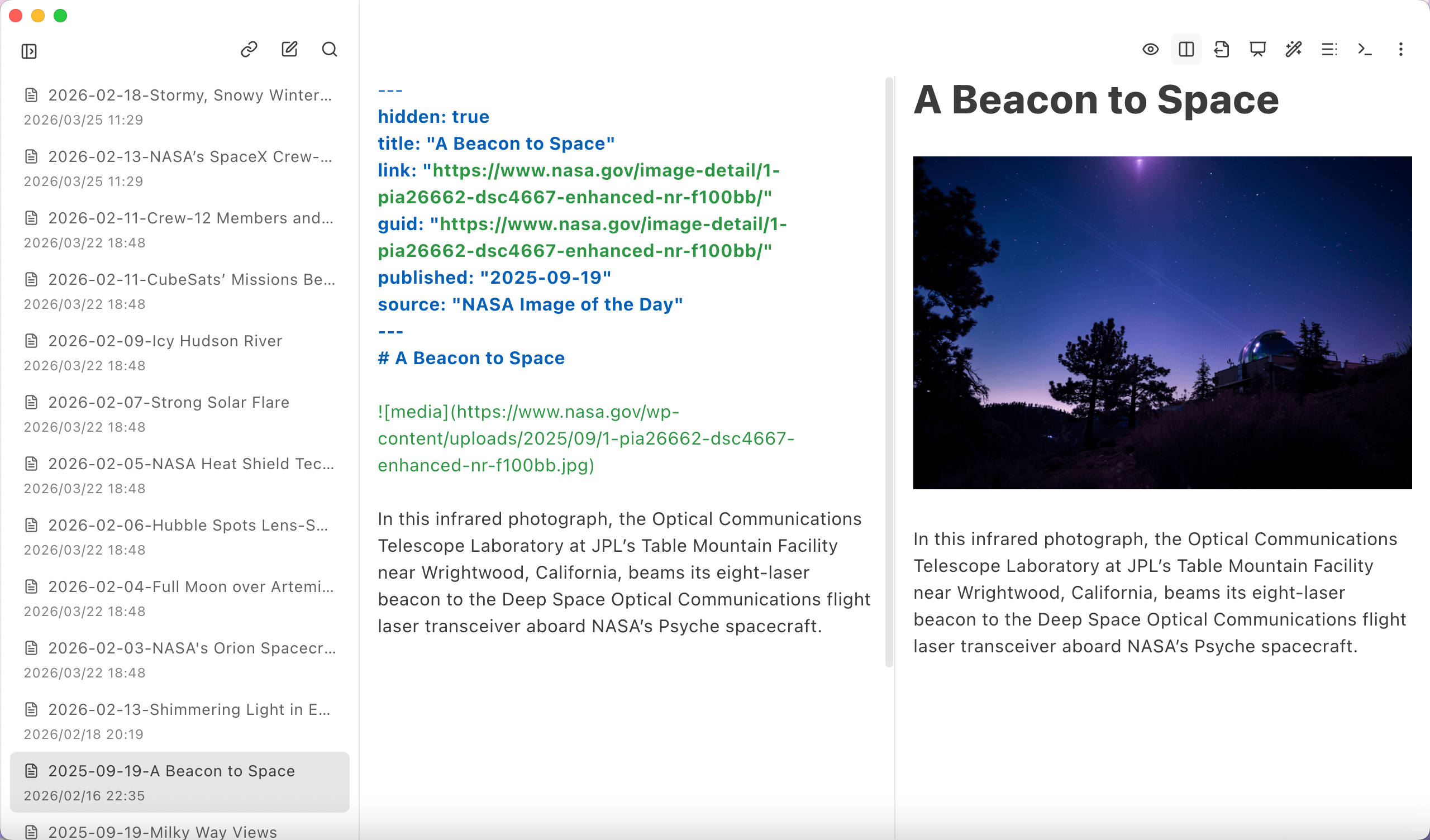
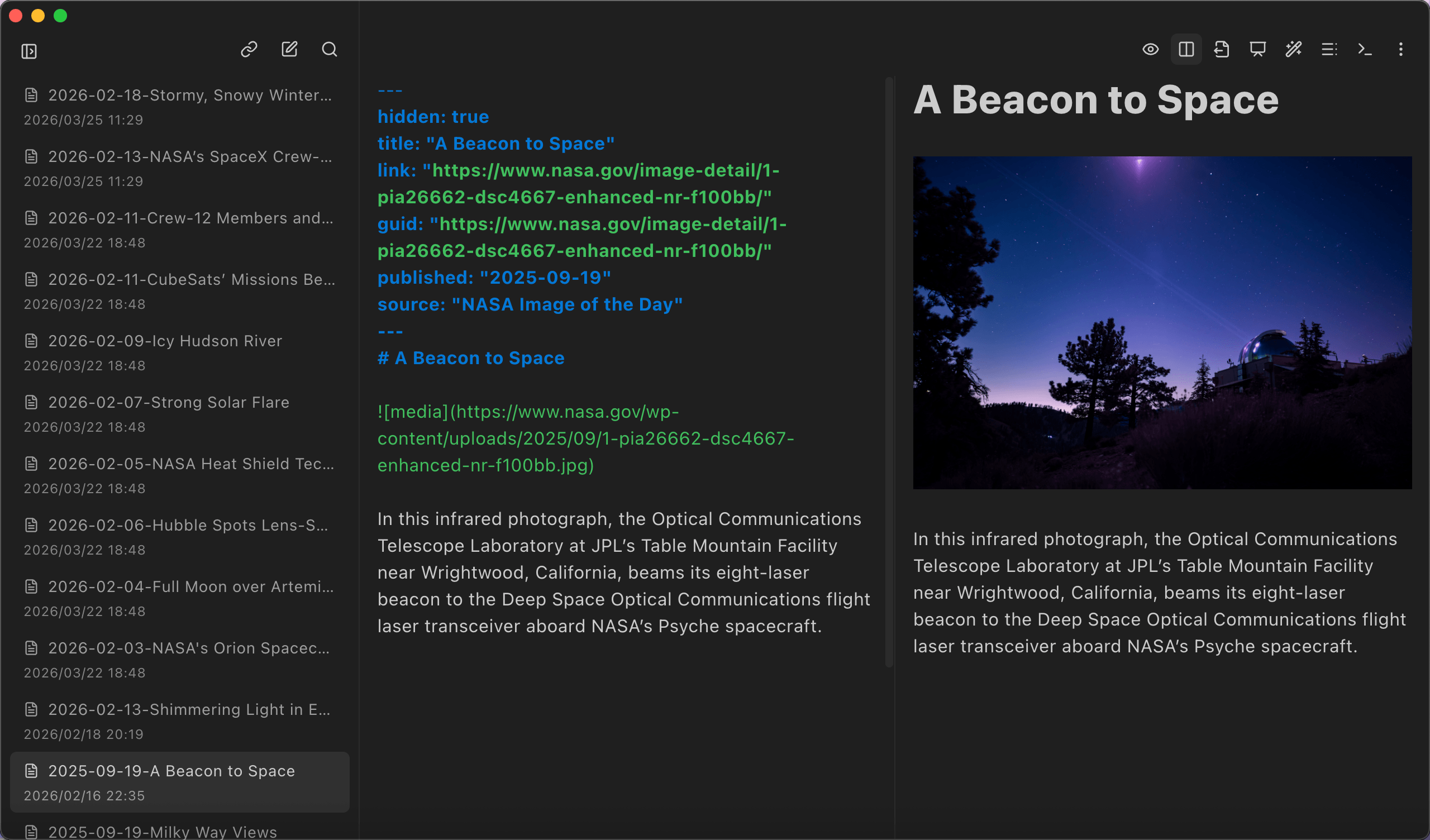
Not another online document tool, but a fuller local-first content flow
Zhiyuan works more like a Markdown-first desktop workspace. It covers content input, refinement and output in one place.
Markdown-first
Collection, editing, preview and export stay centered around native Markdown files.
Connected workflow
RSS, web capture, notes, terminal work and export form one continuous chain.
Desktop focus
Built for people who prefer local files, keyboard-driven habits, multi-window setups and an embedded terminal.
Keep capture, writing and output inside one Markdown flow
The real value is not feature count, but how the pieces stay connected.
Pull actions that usually live across multiple tools back into one desktop workspace.
Capture first, then write and preview, and export or publish last without switching tools at every stage.
Collect
Subscribe to RSS or capture a web page into Markdown so outside content enters your local workspace first.
Write & run
Keep writing, editing, previewing, presenting and opening a terminal in the same interface.
Ship
Export to PDF, HTML or long image, or push the note to GitHub Issue when it is ready.
Core capabilities shaped around a Markdown workflow
These capabilities are more useful together than alone.
RSS subscription and archiving
Bring ongoing reading sources into your local workspace so they can be filtered, read and archived over time.
Web page to Markdown
Capture article content and turn it into editable Markdown with less cleanup.
Workspace terminal
Keep a terminal inside the editor area and start it in the current workspace for command-line tasks.
Preview and presentation modes
Switch between editing, preview, split view and presentation depending on what the content needs.
Multi-window and local workspaces
Open different workspaces in separate windows so local file organization still matches how you work on desktop.
Multi-format export
Export to HTML, PDF and long images without rebuilding the document elsewhere.
GitHub publishing
Push notes to GitHub Issues and handle local asset uploads from the same workflow.
Shortcuts and desktop actions
Shortcuts, file drag-and-drop, workspace operations and terminal toggles support a real desktop-first keyboard flow.
The details that make it feel like a real desktop workspace
Beyond the main workflow, Zhiyuan also covers the smaller interactions that matter in everyday desktop use.
Drag Markdown in and out
Bring external Markdown files into the workspace, or drag notes back out to the system when needed.
Open Markdown directly from the OS
Open a .md file or folder from the operating system and jump into the right workspace automatically.
Configurable shortcuts
Terminal toggle, RSS import, note creation and mode switching all connect to a configurable shortcut system.
Workspace-based organization
Recent workspaces, window binding, local file structure and multi-window behavior all follow how desktop users organize projects.
Built for people who genuinely work in Markdown
It is not everything-for-everyone software, but it fits these users especially well.
Continuous reading and clipping
If you read RSS, save articles and keep excerpts, Zhiyuan helps move that material back into local Markdown.
Technical writing
Draft blog posts, product documents and developer notes without rebuilding the same content in separate publishing tools.
Personal knowledge archiving
Keep web pages, snippets, ideas and notes inside one Markdown-centered workspace.
Local-first writers
If you care about file control, folder structure, keyboard flow, multi-window behavior and an embedded terminal, this workflow will feel more natural.
Start with Zhiyuan on GitHub
Source, releases and future iterations already live on GitHub, so you can try the app first and follow the project in one place.